For password assistance, please follow the steps to reset it again and regain access to your account.
Step 1: Locate the Sign-In Page
Navigate to our Streamlined Agreements Platform at Streamlined Agreements Platform
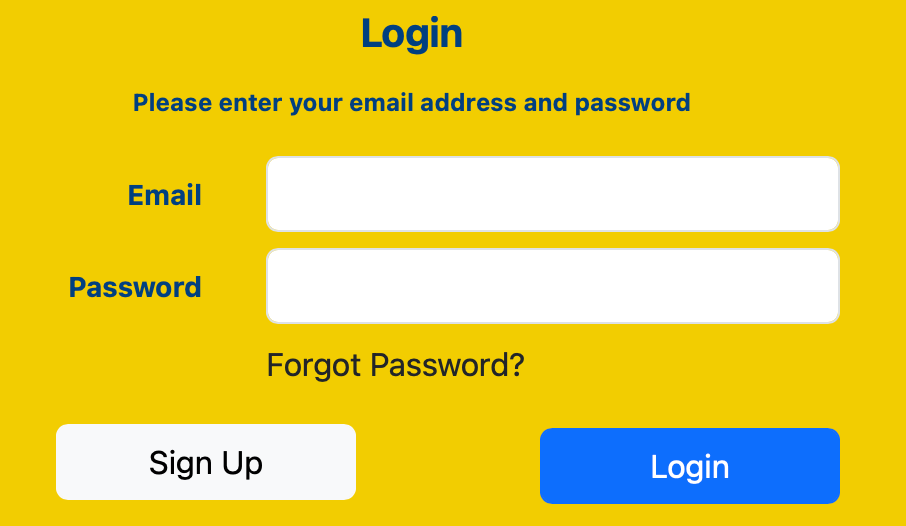
Step 2: Click "Forgot Password"
Click "forgot password" on the Streamlined Agreements Platform sign-in page.
Step 3: Enter "Email Address"
Enter your email address associated with your account in the designated field
Open your email inbox and look for a message with the subject line "Password Reset Request"
Click "Reset Password" button to activate the reset password screen
Step 4: Reset Password Screen
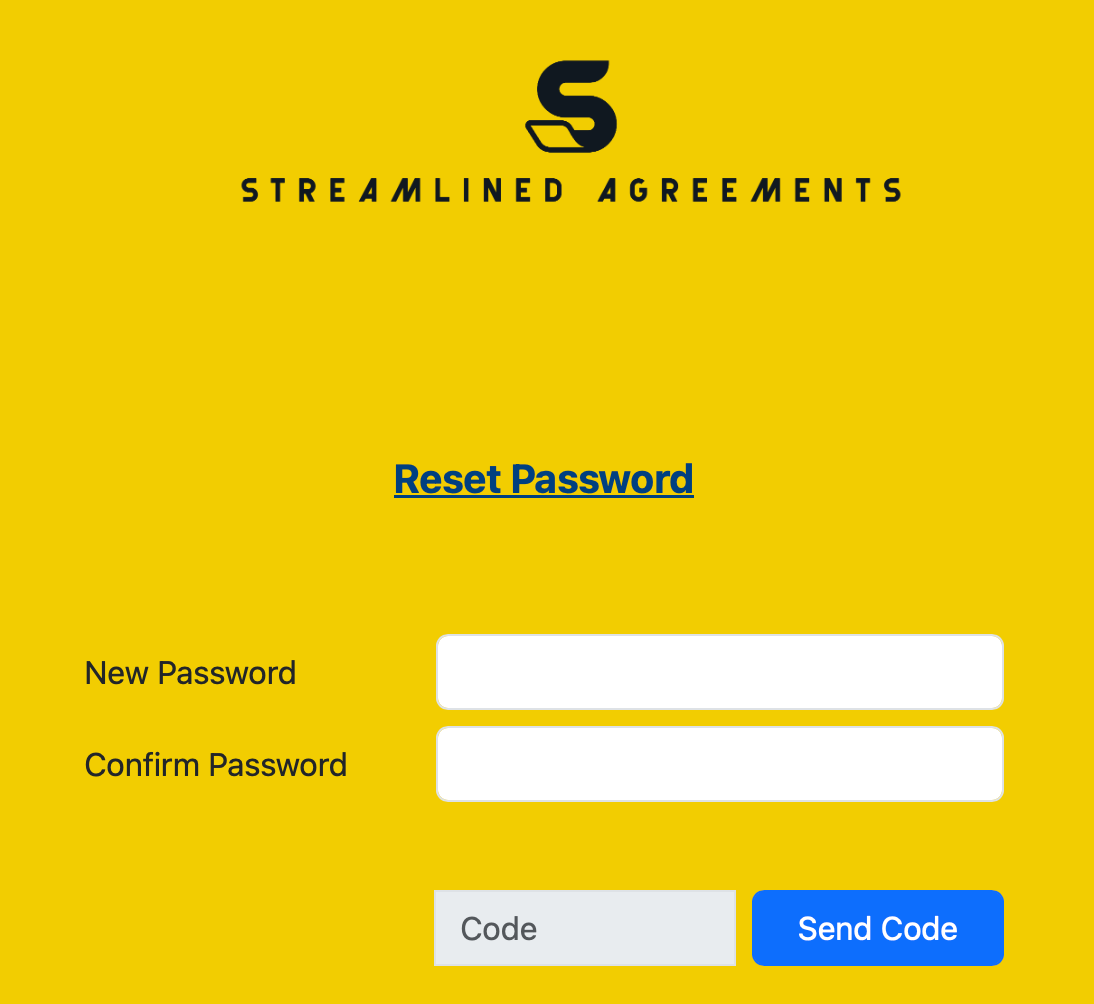
Create your new password in the New Password field
Enter a new password that is strong and secure
Passwords must contain between 12 or more characters.
Passwords must contain a number.
Passwords must contain a special character:
! " # $ % & ' ( ) * + , - . / : ; < = > ? @ [ \ ] ^ _ ` { | } ~
Include at least one UPPERCASE letter, one lowercase letter, one number, and one special character.
Type the same password again in the Confirm Password field
Click Send Code
Step 4: Check Your Email for a Verification Code
Open your email inbox and look for a message with the subject line "New Password Verification Code"
Navigate back to the Reset Password screen and enter the six digit code
Click Verify
If you don't see the email within a few minutes, check your spam or junk folder
Step 5: Log In with Your New Password
Return to the login page and sign in using your email and new password
If you experience any difficulties, please contact our Support Team.